
User guide · Company panel
4 Routes
A route is the line a vehicle follows: a start point, an end point and the road between them. Passengers join a route in the app; drivers make trips on the route of the vehicle assigned to them.
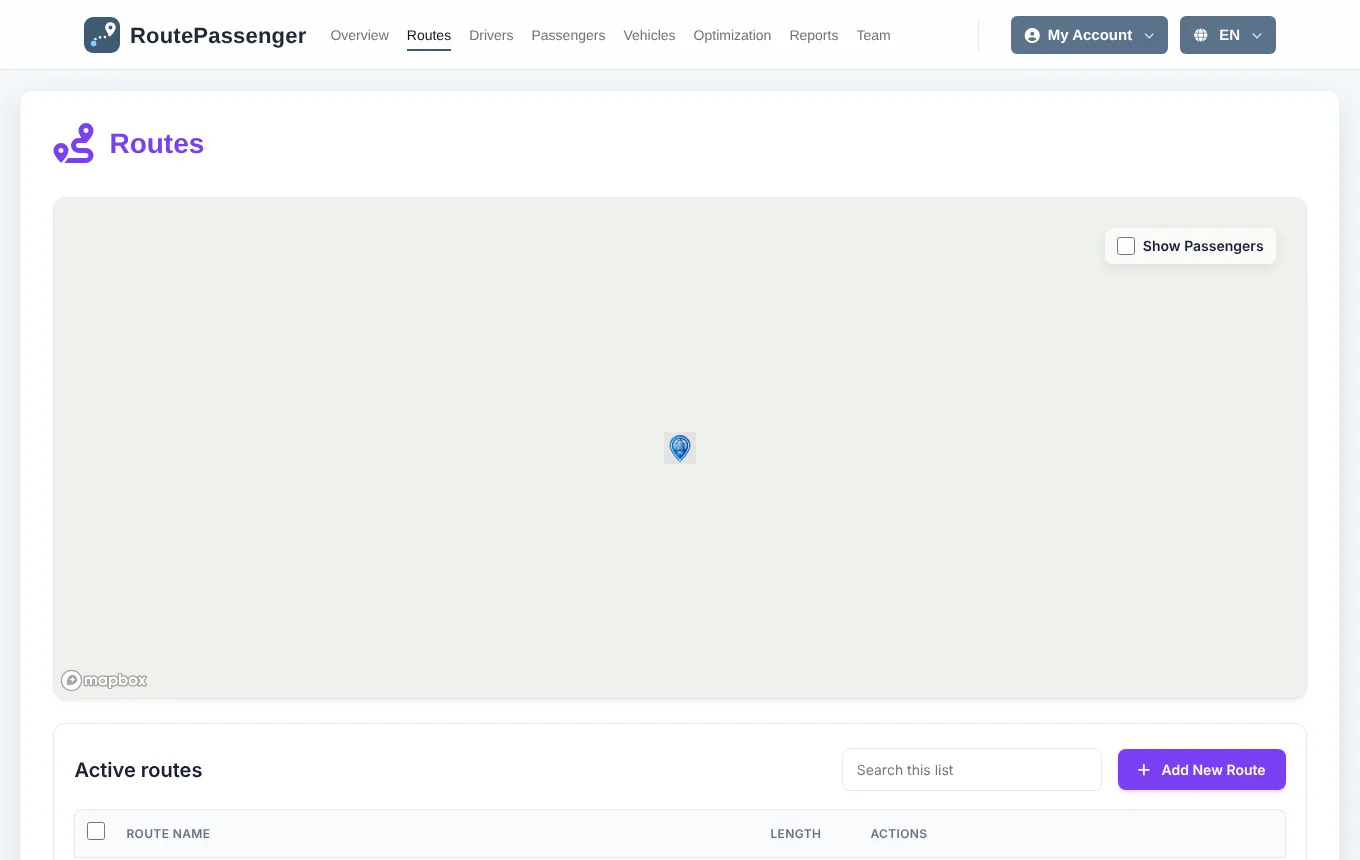
Adding a route
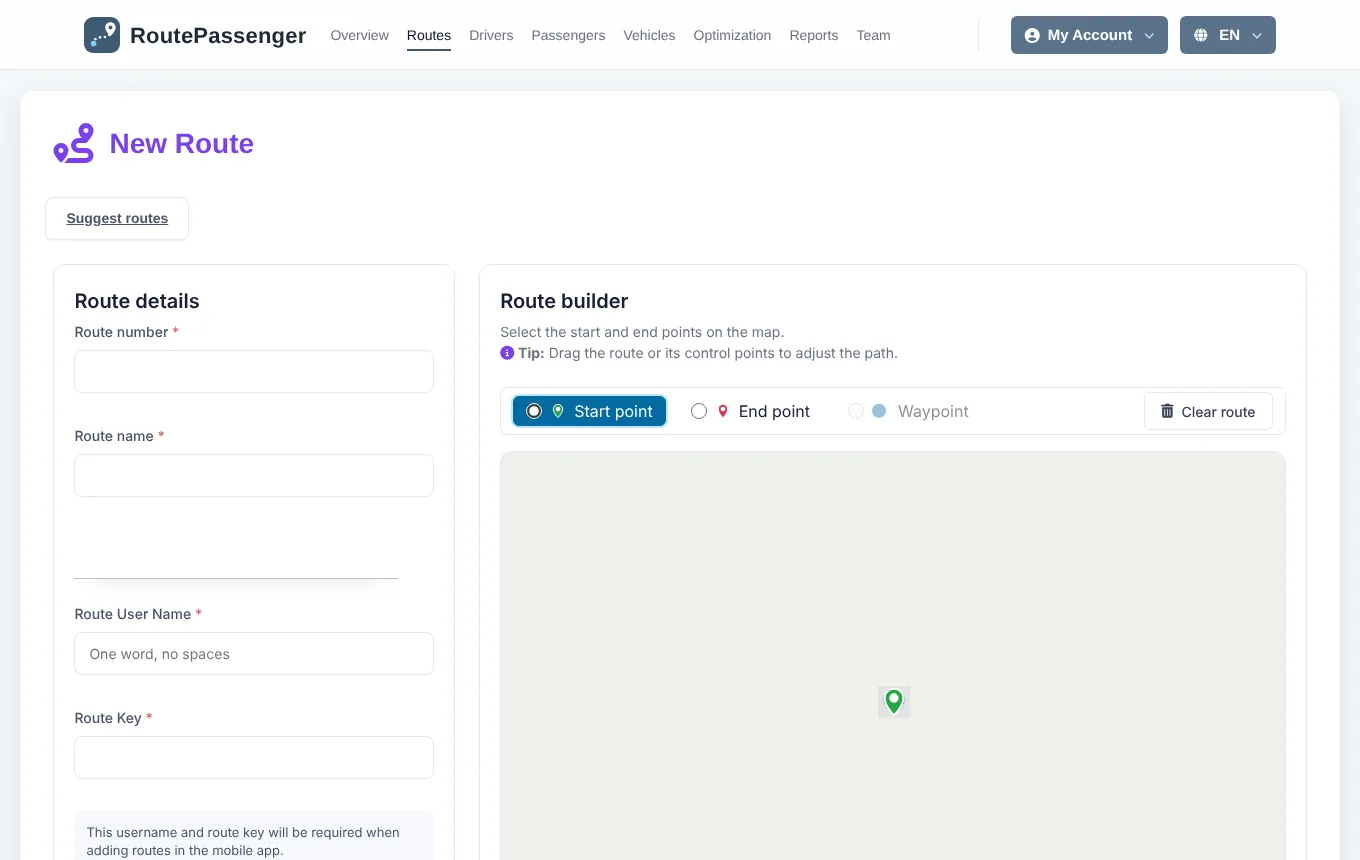
- Open Routes and click Add New Route.
- Enter a route number and a route name, for example "1" and "Morning shift – Center".
- Choose a route username (one word, no spaces) and a route key. Passengers join the route in the app with these two or with the route's QR code. The page shows whether the username is available.
- On the map, with Start point selected click the start, then select End point and click the end. The road is drawn automatically.
- Add a Waypoint for places the vehicle must pass, or drag the line to change the road.
- If the way back uses another road, tick Return by a different route and draw the return on the second map.
- Click Save route.
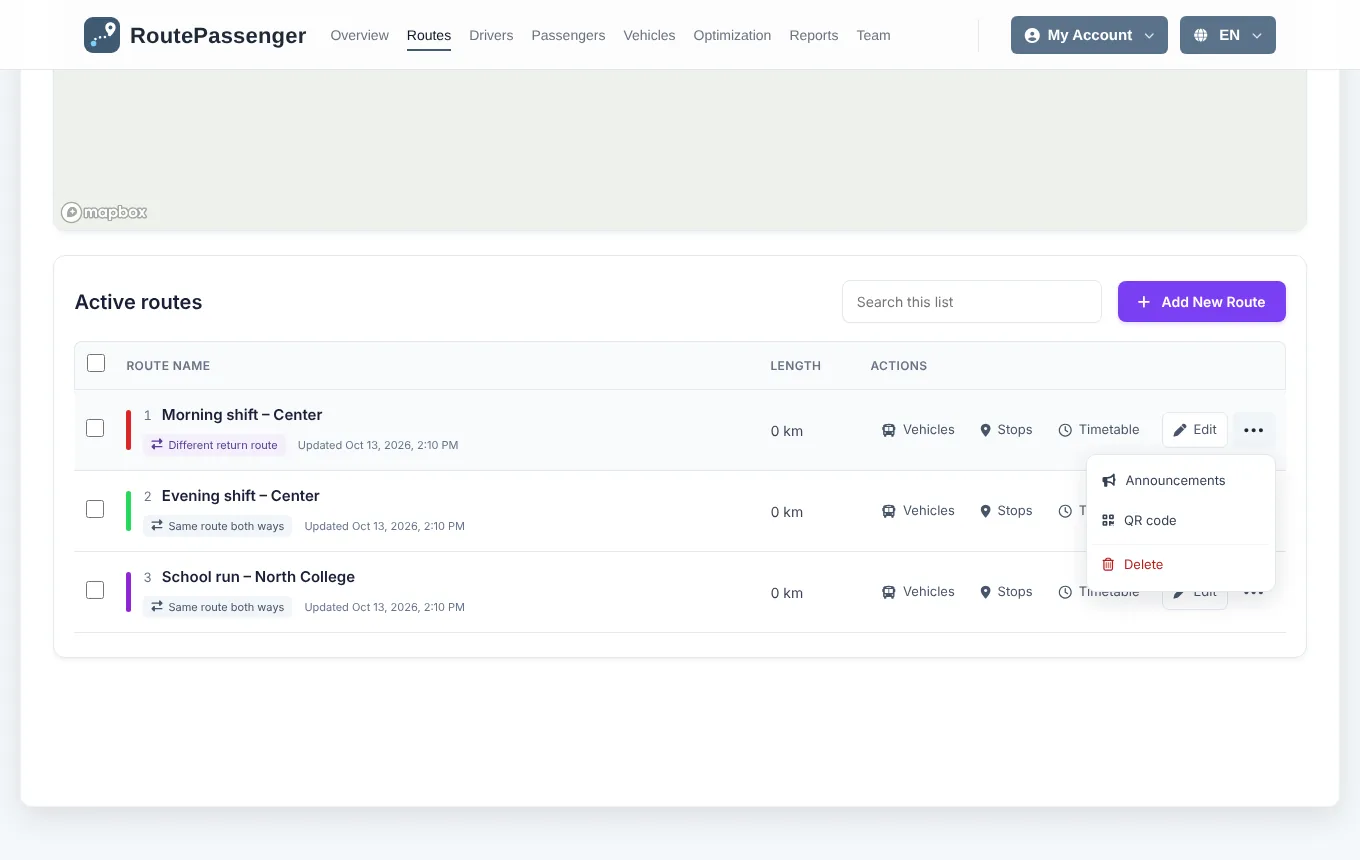
The route list
Each row shows the route number, name and colour, whether the return uses the same road, its length and when it was last updated. The row actions:
| Action | What it does |
|---|---|
| Vehicles | Vehicles assigned to this route. |
| Stops | The stop editor (Stops). |
| Timetable | Departure and arrival times (Timetable). |
| Edit | Change name, number, drawing and key. |
| ••• → Announcements | Messages to this route's passengers and drivers (Route announcements). |
| ••• → QR code | QR code and invite link for passengers. |
| ••• → Delete | Removes the route. |
Ticking a route shows it on the map above. Show Passengers adds the passengers' pickup points to the map.
Giving passengers a QR code and invite link
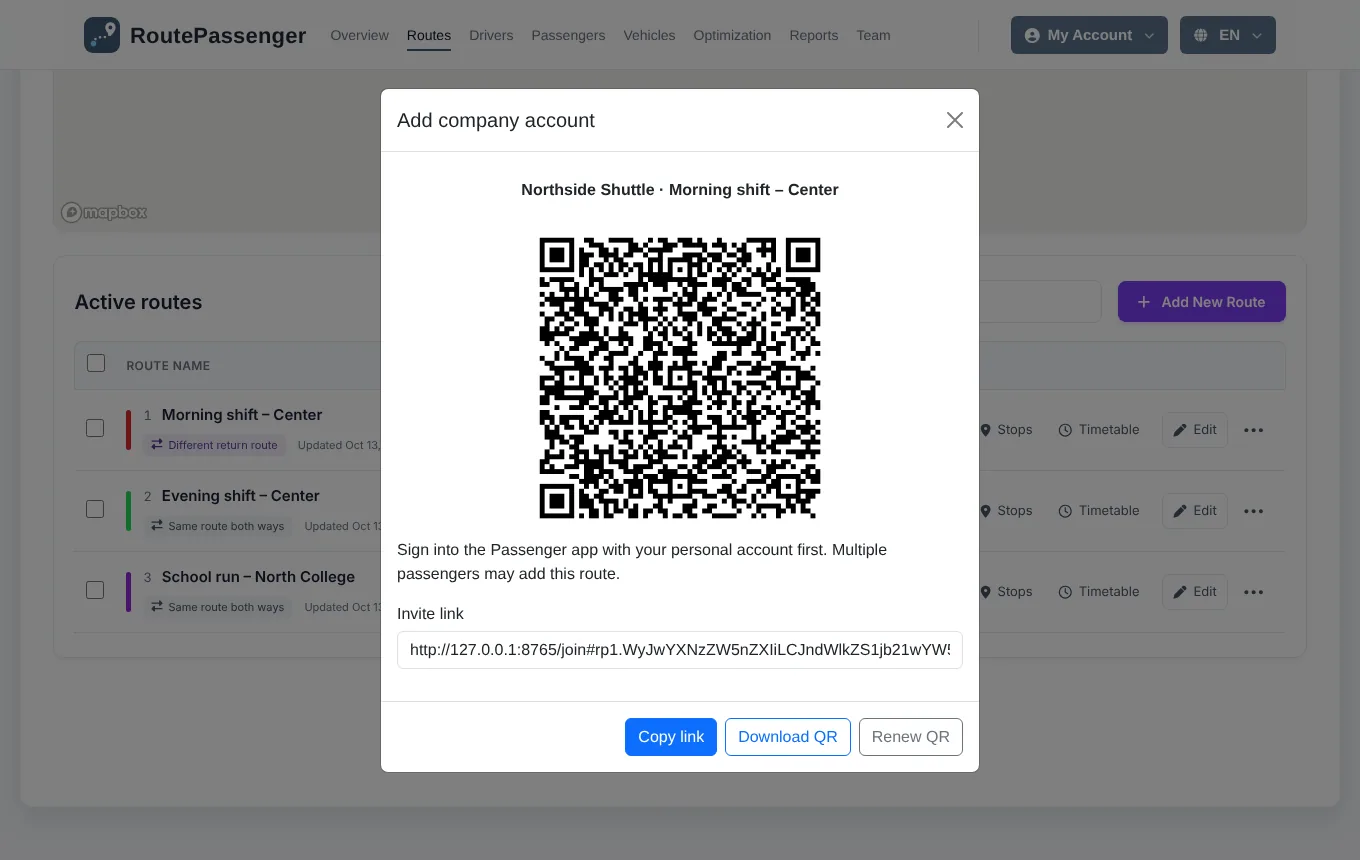
- In the route's row choose ••• → QR code.
- Print the QR code and put it in the vehicle, save it with Download QR, or send the link with Copy link.
- The passenger signs in to the Route Passenger app with their own account, then scans the code or pastes the link.
Editing and deleting a route
- In Edit, leave the key field empty to keep the current key.
- In Organization and Public companies a passenger's company account stays in the app when a route is deleted; they keep seeing the other routes. In a Private company the account added with that route is removed.