
User guide · Company panel
11 Route optimization
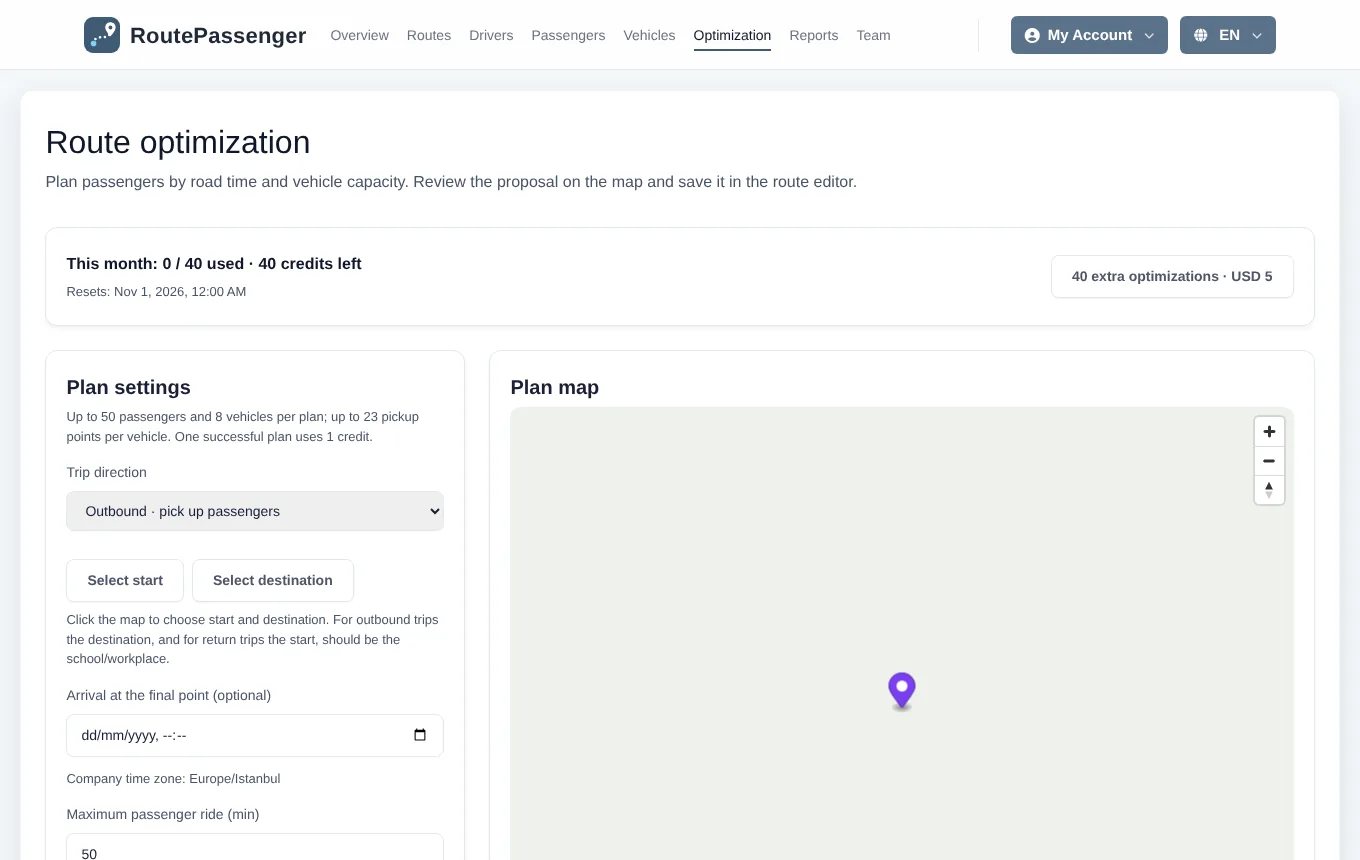
Route optimization distributes the passengers you choose among vehicles by real road travel times and vehicle capacity, and suggests the order of stops for each vehicle. The result is always a proposal; no route, vehicle or passenger assignment changes until you approve it.
Before you start
- Passengers need a saved pickup location (Passengers).
- Vehicles need a capacity (Vehicles).
Creating a proposal
- Open Optimization.
- Choose the trip direction. Outbound collects passengers at their pickup points and takes them to the destination; return takes them from the start point back home.
- Set the points with Select start and Select destination by clicking the map. The school or workplace is the destination outbound and the start on the return.
- Optionally enter the arrival time at the last point; the estimated departure is calculated from it.
- Set the longest ride per passenger (minutes).
- Tick the vehicles and passengers to use. A plan can have up to 50 passengers and 8 vehicles.
- Click Suggest routes. The proposal is shown on the map vehicle by vehicle, with a distance and time comparison against your current routes.
Applying a proposal
- On the Review fleet plan screen choose, for each vehicle, whether to create a new route or update an existing one, its name and number, departure and arrival times, operating days and validity dates.
- The preview shows which passenger moves to which route and how many timetable rows will change.
- Approve and apply all saves the routes, vehicle assignments, passengers and timetables together. If anything fails, nothing changes.
History and restoring
Optimization history keeps the proposals of the last 90 days. You can open an earlier proposal on the map, compare two plans, or bring back the routes, vehicles, passengers and timetables as they were before an applied plan with Restore previous state. Viewing, approving and restoring do not use up optimizations.
Monthly allowance
- Each company has 40 successful plans per month; failed attempts are not counted. The remaining number is shown at the top of the page.
- If you need more, request 40 extra optimizations · USD 5; they are added once the payment is confirmed.