User guide · Company panel
7 Route announcements
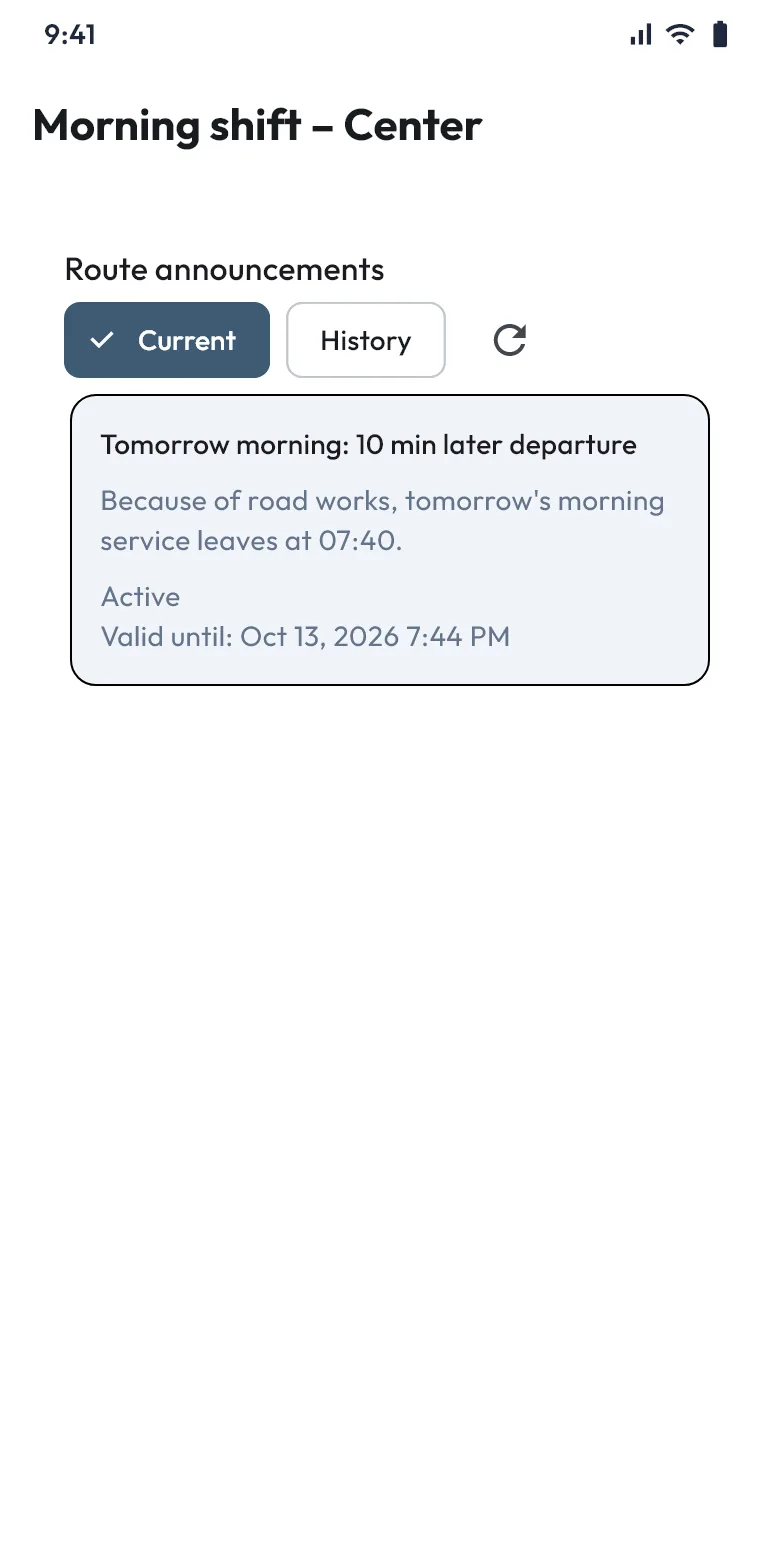
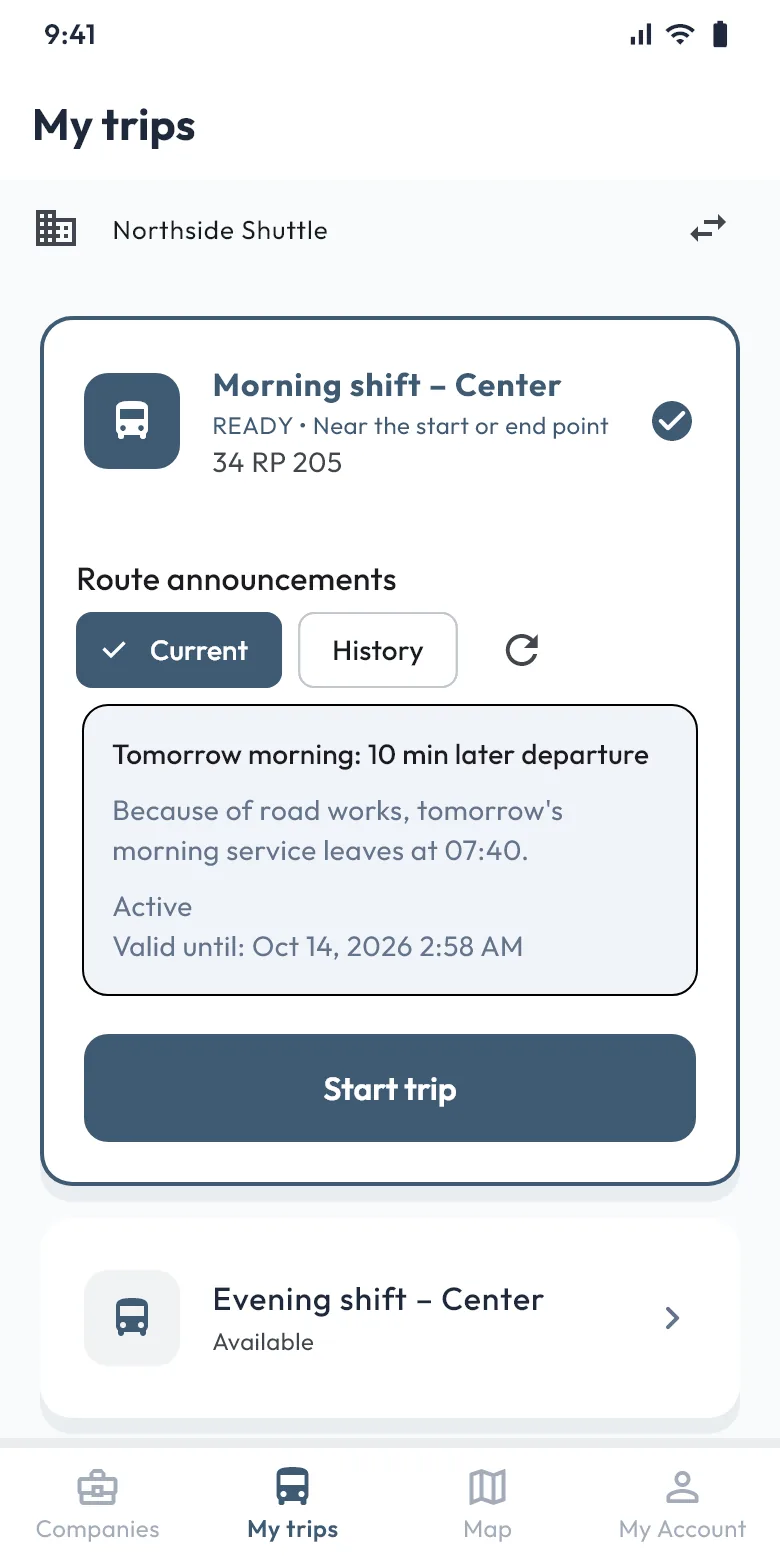
With a route announcement you tell a route's passengers and drivers about a delay, a vehicle change, a temporary stop change or a cancelled trip. The announcement shows in the apps, and people with notifications turned on also get a phone notification.
Publishing an announcement
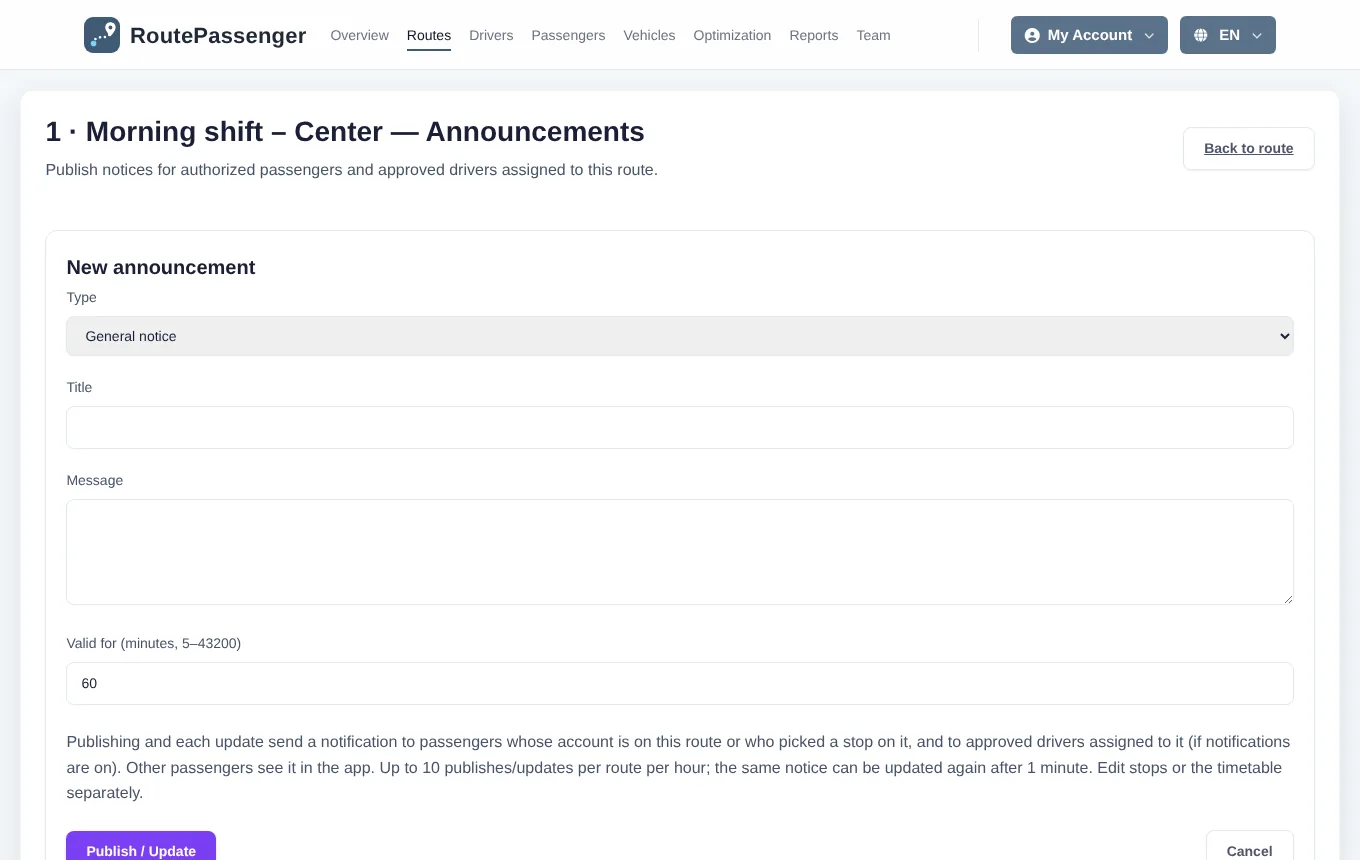
- In Routes, open ••• → Announcements in the route's row.
- Choose the Type: General notice, Delay, Vehicle change, Temporary stop change or Trip cancellation.
- Write a Title (up to 120 characters) and the Message (up to 2,000 characters).
- Enter how long it is Valid for, in minutes (5 minutes to 30 days). When the time is up, it leaves the active list.
- Click Publish / Update.
Who sees it, who gets a notification?
| Sees it in the app | Gets a phone notification | |
|---|---|---|
| Passenger | Announcements of every route they can see (depends on the access level). | Only for their account's route or the route where they chose a stop, if notifications are on. |
| Driver | Announcements of the route of the vehicle assigned to them. | For the same route, if notifications are on. |
The lock screen shows no company, route or message text; the person taps the notification and reads it in the app.
Editing and withdrawing
- Edit / Republish updates the announcement; the update is also notified. Earlier texts are kept under Previous versions.
- Withdraw removes the announcement; in the apps it shows as "Withdrawn" in the history.
- To prevent a flood of notifications, a route can have at most 10 publications or updates per hour, and the same announcement can be updated again after 1 minute at the earliest. Withdrawing is not limited.